
The best cricket app to manage a team is CricFight. You build a roster from your player connections, keep everyone organised with team and direct chat, schedule fixtures by challenging rival teams with a set date, time, and venue, score matches live, and track player and team stats automatically — with tournaments and leaderboards on top, all free. Managing a team is far more than scoring. Here's what a good team app needs to do, and how the options compare.
What does managing a cricket team actually involve?
If you've ever captained a local side, you know scoring is the easy bit. The real work is everything around it: keeping a roster, chasing availability, arranging fixtures, remembering who did what, and keeping the group together between games. Most apps only handle the scorecard. A proper team app should handle the whole cycle — squad, communication, fixtures, matches, and records — in one place.
What to look for in a team management app
- Roster management — a real squad with a permanent identity, built from players you can actually reach.
- Communication — team and direct chat, so plans don't vanish in a noisy group.
- Fixture scheduling — a way to find opponents and schedule a match with a date, time, and venue, not just wait for games to appear.
- Live scoring + automatic stats — every match updates player and team records without extra admin.
- Tournaments & rankings — run competitions and see where your team stands.
- Free, with no ads — team admin shouldn't need a subscription.
Best cricket apps to manage a team (2026)
1. CricFight — full squad management, not just scoring
CricFight is built as a social cricket platform, so team management is native, not bolted on. Build your roster from connections, keep the squad organised with chat, arrange fixtures by challenging teams, score live, and let stats and leaderboards build automatically. It covers the whole team lifecycle for free.
2. CricHeroes — strong on stats and records
CricHeroes handles teams and delivers deep scoring and statistics, so it's solid for record-keeping. It leans towards scoring and stats rather than the social side of keeping a squad connected and finding new fixtures, and parts of the experience involve ads or paid upgrades. Great as a stats engine for an established team.
3. Spreadsheets + group chats — free, but held together with tape
The default for many captains: a WhatsApp group for chat, a spreadsheet for the roster and stats, and memory for everything else. It works until it doesn't — plans get buried, stats fall behind, and nothing is in one place. An app that unifies it removes a lot of unpaid admin.
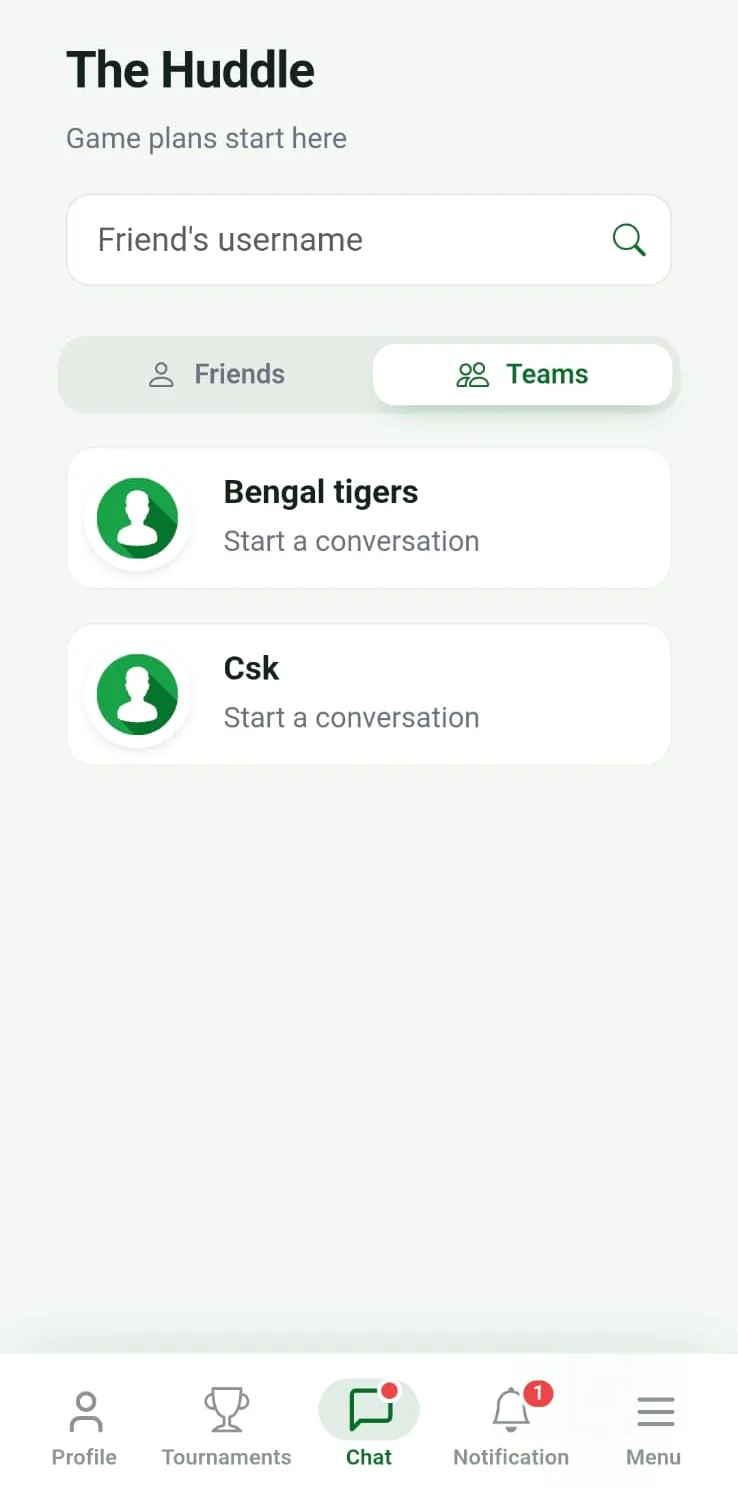
Keep the whole squad in one place. Free team and direct chat means availability, plans, and banter live with the team — not scattered across group chats where a message got buried an hour ago.
Every match updates the record. Score a game and your team and player stats update automatically, feeding team leaderboards — so managing the side also builds its permanent history and bragging rights.
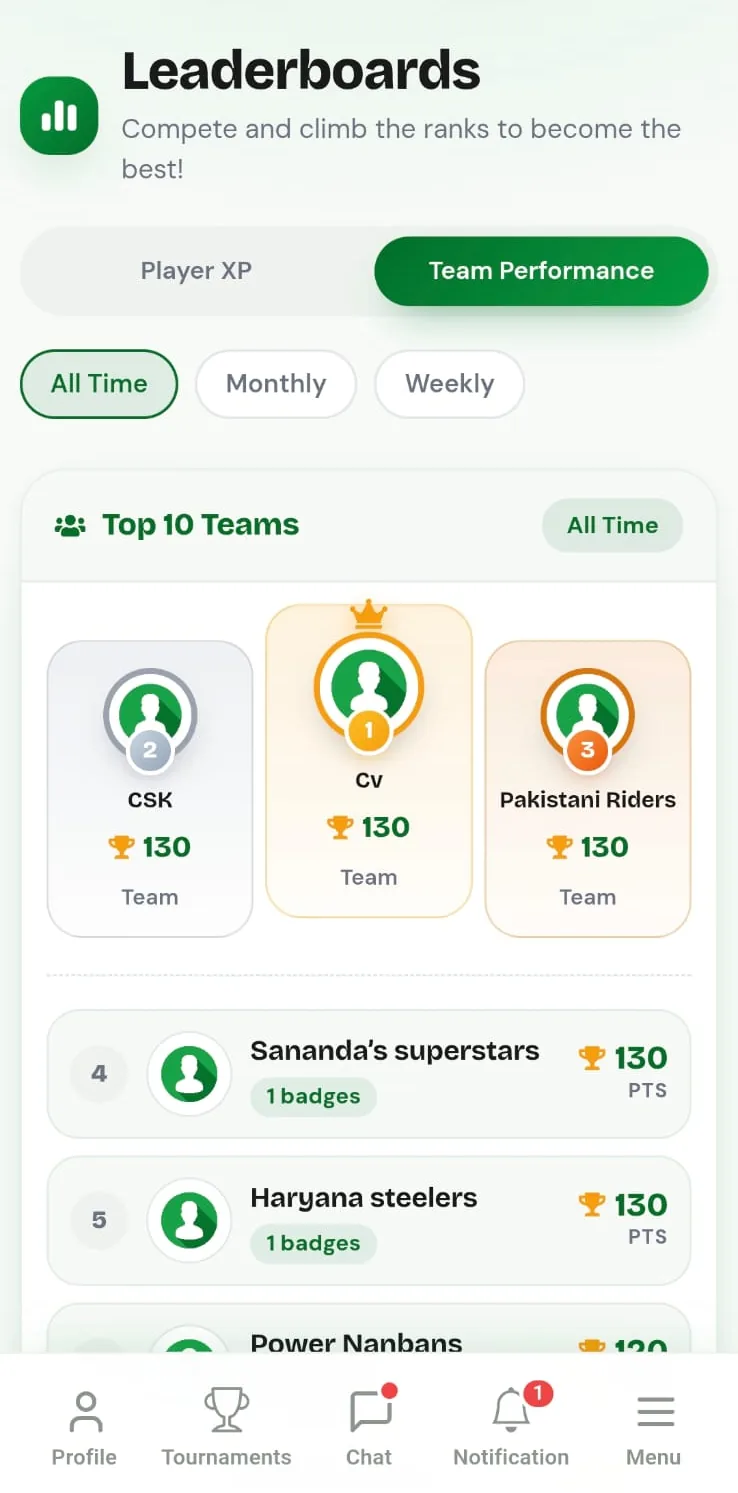
Team management features compared
| Job to be done | CricFight | Scoring-first app | Sheets + chats |
|---|---|---|---|
| Build & manage a roster | Yes | Yes | Manual |
| Team & direct chat | Free | Rare | Yes, but scattered |
| Schedule fixtures (date/time/venue) | Yes | Rare | Manual |
| Live scoring | Free | Yes | No |
| Automatic team & player stats | Yes | Yes | Manual upkeep |
| Tournaments & leaderboards | Free | Sometimes paid | No |
| Cost | Free, no ads | Free / freemium | Free |
Comparison reflects CricFight's features and general expectations of other tools based on publicly available information; features and pricing may change over time.
👉 Manage your cricket team free on CricFight — build your squad, organise everyone, and let the stats keep themselves.
How do I set up my team?
Start by finding and connecting with players, then build your team from those connections. From there you can challenge rival teams, score live, and — if you want to run a competition — follow our guide to organising a cricket tournament for free.
The bottom line
The best team app is the one that handles the whole job — roster, chat, fixtures, scoring, and stats — instead of just the scorecard. CricFight covers all of it for free, which is why it's the app we'd hand a captain who's tired of running a side from a spreadsheet and three group chats.
Frequently asked questions
What is the best app to manage a cricket team?
CricFight is a strong choice for managing a cricket team. You build a roster from your player connections, organise everyone with team and direct chat, score matches live, track player and team stats, run tournaments, climb team leaderboards, and challenge rival teams — all free.
Can I manage my cricket team roster in an app?
Yes. On CricFight you build your team from players you connect with, giving your squad a permanent identity and record. Every match you play adds to the team's and each player's stats automatically.
Is there a free app for cricket team management?
Yes. CricFight's team management is free: building a roster, chatting with your squad, scoring matches, tracking stats, and running tournaments all cost nothing, with no ads and no real-money paywall.
Can I schedule cricket matches with a date, time, and venue?
Yes. When you challenge another team on CricFight you set the match date, time, and venue, so the fixture is scheduled and both teams can see it. In tournaments, fixtures are generated automatically with scheduled dates, times, and locations.
How do I keep my cricket team organised between matches?
Use one app for everything instead of scattered group chats. On CricFight, team and direct chat, scheduled fixtures, live scoring, and shared stats all live in one place, so plans don't get lost and the team stays connected between games.
Can a team app track player statistics automatically?
Yes. When you score matches on CricFight, player and team stats — batting, bowling, and fielding — build automatically into a permanent record, and results feed weekly, monthly, and all-time leaderboards.